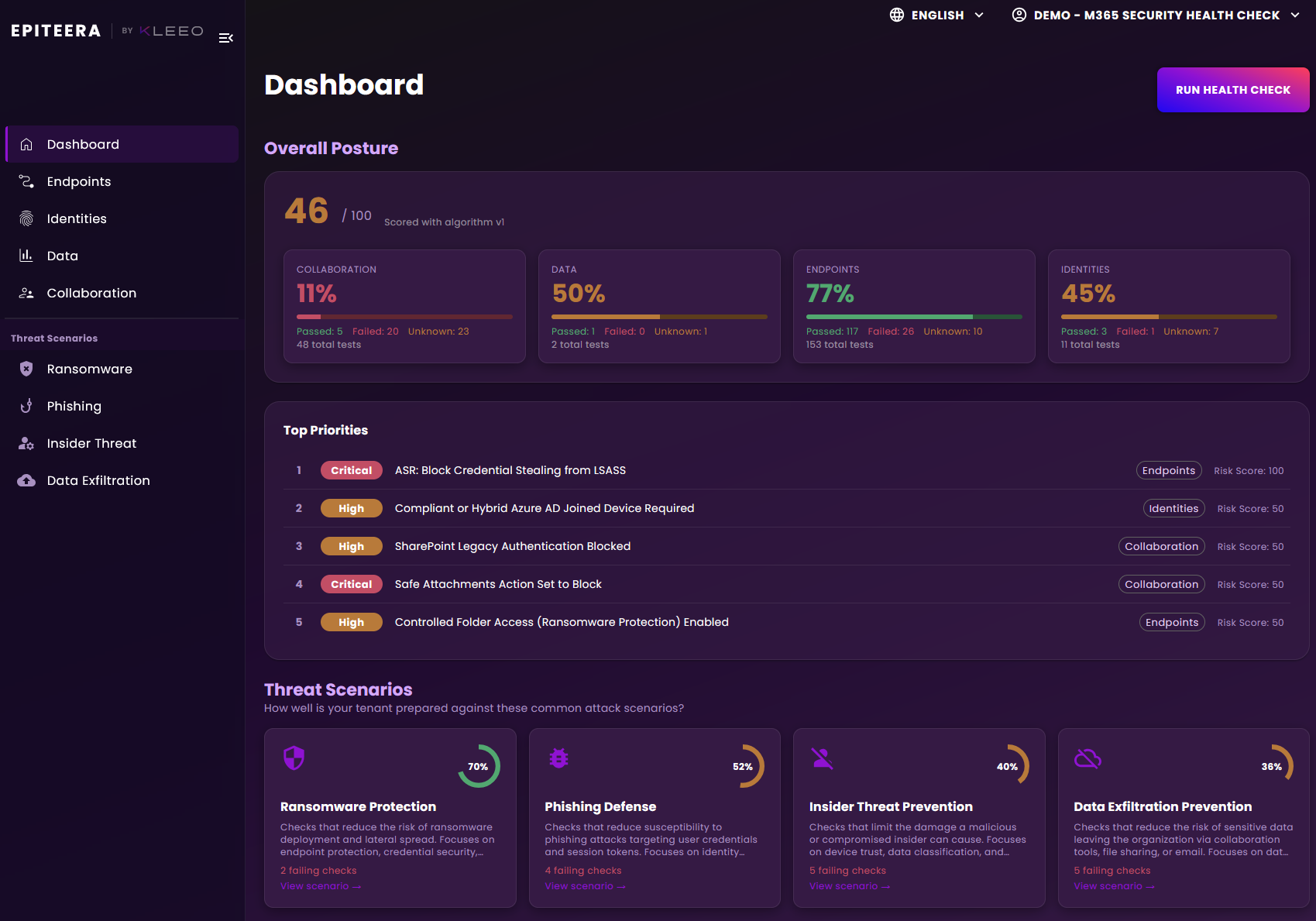
Your full M365 tenant configuration is scanned automatically - no manual input needed.
Scored findings
Every finding is scored by severity so you always know what to fix first.
Remediation guidance
Step-by-step recommendations for each finding, tailored to your licence and configuration.
Threat insights
Context on the most prevalent threats targeting M365 environments and how to defend against them.
Security dashboard
A live view of your overall security posture and how it develops over time.
Tenant overview
User count, device inventory, and legacy OS detection - all in one place.
Dedicated IT teams & larger organisations
Enterprise
For organisations with dedicated IT teams that need advanced controls, SLA guarantees, and tailored reporting. Pricing is negotiated based on your requirements.
Assess and track multiple tenants from a single centralised dashboard.
SLA guarantees
Guaranteed response and resolution times for your organisation.
Dedicated CSM
A named customer success manager supporting your team directly.
Custom reporting
Reports tailored to your internal processes and stakeholder requirements.
IT Providers & MSPs managing multiple client tenants
MSP
For IT providers and managed service providers who need to assess and monitor security across an entire client portfolio. Pricing is based on your number of tenants.
We will tailor your assessment and report to your situation.
Most SMEs we assess have 4–6 critical findings on their first check. The most common gaps: incomplete MFA and unprotected devices.
Enterprise tenants often have policy drift and admin account sprawl that goes undetected for months. We will give you the full picture.
IT Providers use the Health Check to baseline each client tenant. We will tailor your experience for multi-tenant assessment.
Your environment
How many users are in your M365 tenant?
This helps us benchmark your results against organisations like yours.
Heads up: Organisations your size are often the most targeted — attackers know security budgets are tight. Most have 4–6 critical findings on their first check.
Most SMEs this size have at least 3 critical misconfigurations. The most common: MFA gaps and overly permissive external sharing settings.
At this size you are approaching enterprise scale. Inconsistent Conditional Access policies and admin account sprawl are the most frequent findings.
Smaller enterprise tenants often have a mix of legacy and modern configurations. We will surface the inconsistencies that create hidden risk.
At this scale, admin account sprawl and policy drift are the most common issues. We will give you a complete, actionable picture.
Mid-large enterprise tenants frequently have complex permission structures that create undetected gaps. Our check covers all of them.
Large enterprise tenants typically surface 8+ findings — often hidden across complex permission structures and legacy configurations.
Your licence
Which Microsoft 365 plan are you on?
Your licence determines which security features are available and what we will check against.
Business Basic is not supported by the Health Check. This plan lacks Intune, Defender for Business, and Conditional Access — the core features we assess. You will need to upgrade to Business Premium or higher to use this tool.
Business Standard is not supported by the Health Check. Without Intune, Defender for Business, and Conditional Access, a meaningful security assessment is not possible. Upgrading to Business Premium unlocks all four assessment areas.
Business Premium includes powerful tools like Intune and Defender — but they are often not fully activated. We will check your utilisation.
Microsoft 365 E3 gives strong fundamentals but lacks advanced threat protection. We will identify where E5 features would make the biggest difference.
With Microsoft 365 E5 you have the most comprehensive security suite. We will verify you are actually using what you are paying for.
Many organisations have no clear picture of their exact licence tier — which means they do not know which security features they have access to. We will clarify this in your report.
Identity security
Is multi-factor authentication enabled for your users?
MFA is the single most effective control against account takeover.
Great start. But MFA alone is not enough — we will check whether your Conditional Access policies are actually enforcing it correctly.
Partial MFA is almost as risky as no MFA. Attackers target the accounts that are not covered. We will identify every unprotected account.
This is critical. Without MFA, a single leaked password is all it takes to compromise your tenant. This will be flagged as a priority finding.
Not knowing your MFA status is itself a risk signal. We will give you a definitive answer as part of your report.
Your priorities
What is your primary security concern?
This shapes which findings we highlight most prominently in your report.
Account takeover is the leading entry point for breaches in M365 environments. Identity and Conditional Access findings will be prioritised in your report.
Data leaks are most commonly caused by misconfigured sharing settings — not hackers. We will surface every external sharing and DLP gap in your tenant.
Ransomware typically enters via phishing or unprotected devices. Your report will highlight device compliance, antivirus coverage, and backup status.
For nDSG and GDPR alignment, data classification and DLP policy coverage are critical. We will show you exactly where your compliance gaps are.
Your practice
How many client tenants do you manage?
This helps us tailor the provider experience to your scale.
A great starting point. The Health Check gives you a repeatable process to baseline security across all your clients from day one.
At this scale, security consistency across tenants becomes critical. The Health Check helps you identify which clients need the most urgent attention.
For established MSPs, the Health Check provides a standardised security baseline. Identify outliers and prioritise remediation across your entire portfolio.
Large MSPs benefit most from a standardised baseline. Reach out to discuss volume options and custom reporting for your practice.
Your profile
Here is what we know about you
Based on your answers, here is a preview of what your health check will focus on.
Organisation type—
Primary concern—
MFA is not fully enabled
See exactly where your Microsoft 365 security stands — and what to prioritise to improve it.
Ready immediately · Results in minutes · No installation needed
Get in touch
Let’s get you started
Enterprise and MSP customers are onboarded in a guided way. Leave your details and we will get back to you within one business day.